
X
July 9, 2026
Connect your AI coding agent to Contrast over a secure, OAuth-protected endpoint, with no API keys to manage and nothing to install.
Your AI coding agent is only as useful as the context it can reach. The Contrast Graph provides a wealth of context on application security, including your vulnerabilities, libraries, routes and attack activity. Connected to a coding agent, this context turns abstract findings into precise, in-IDE fixes, letting developers resolve the vulnerabilities that matter without ever leaving their editor to look them up.
Until now, wiring that data into an agent meant running our MCP server yourself as a local process and handing it a set of API and service keys for each agent that needed access. That worked, and it still does for teams that need it, but it put the setup and the credential management on you.
Today we are announcing the Contrast-hosted MCP server, a remote endpoint that Contrast runs for you. You point your AI client at one URL, sign in through your browser, and your agent can start asking questions about your security data. There are no API keys to copy around, no container or JAR to keep updated and no local runtime to babysit.
The hosted server uses OAuth 2.1, the same secure standard that powers "Sign in with" buttons across the web. The first time your agent calls for Contrast data, your browser opens to the standard Contrast sign-in page. You log in with the credentials you already have. You pick which organization to connect to, and you approve read access. Most clients set this up for you, so there is nothing to configure by hand.
This matters for a few reasons. It eliminates the need to hand out long-lived API keys to every developer who wants to use an agent with Contrast’s data. Sign-in sessions are short-lived and renew automatically, so you log in once and keep working. And because each connection is tied to the single organization you chose at sign-in, there is no organization ID for the model to guess or get wrong.
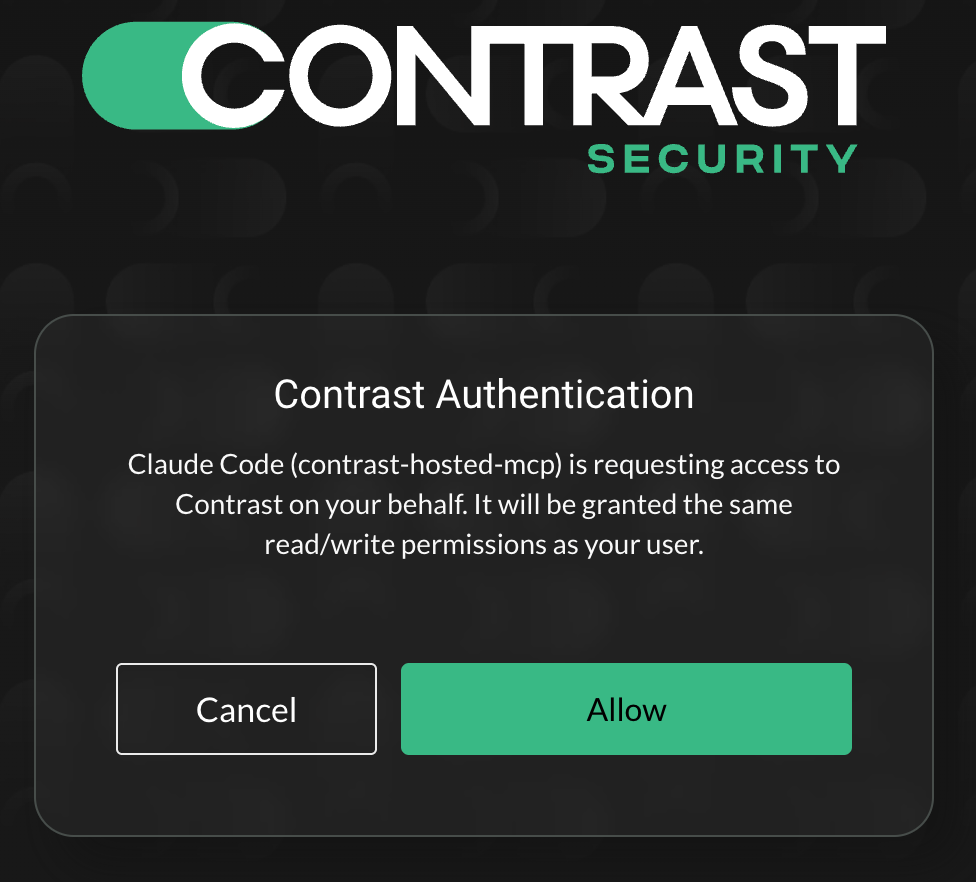
Authorize your AI coding agent through Contrast's OAuth flow using your existing account.
The hosted server does not invent a new permission model. Every request a developer’s agent makes carries their identity to the Contrast platform, which enforces the same role-based access control as the web interface. If a user cannot see something in Contrast, their agent cannot see it through MCP either. The current MCP toolset is read-only, which means the server stores none of your data, and your token never appears in a tool response.
Once connected to the MCP server, your agent works across your Contrast data in plain language. Ask it to:
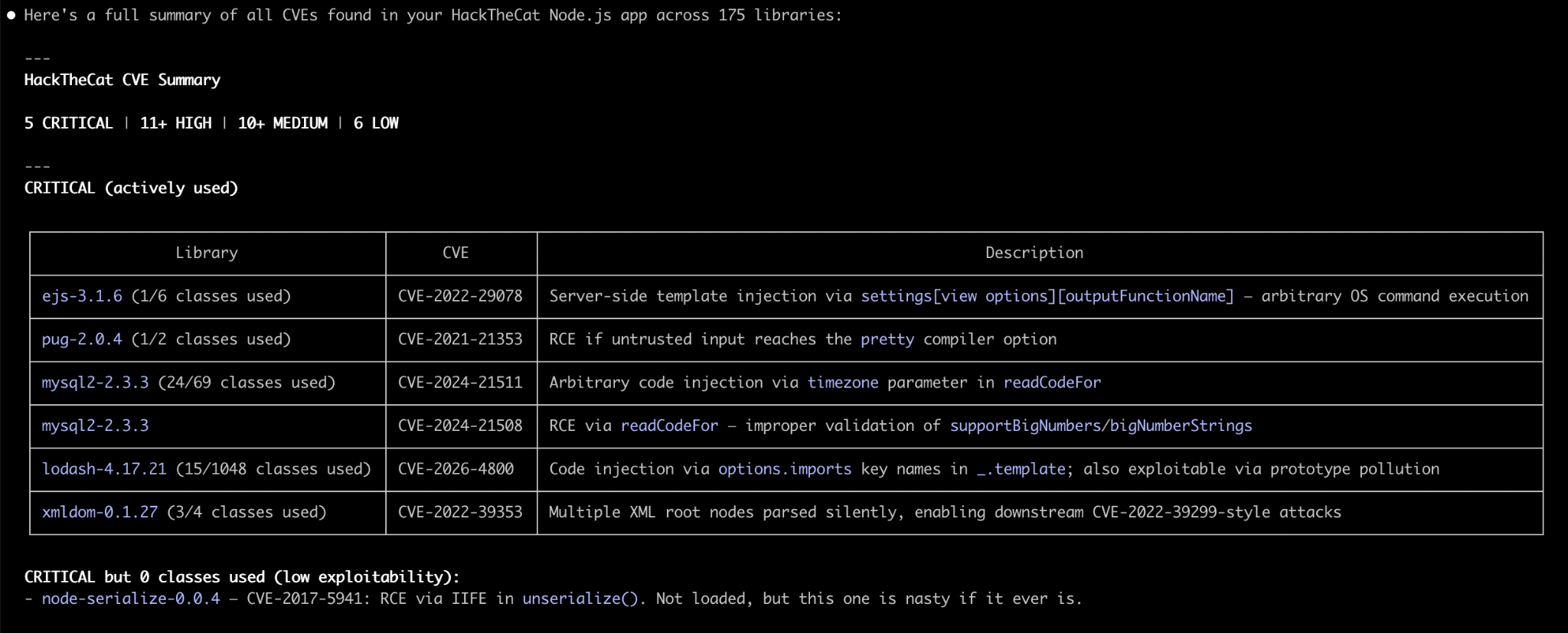
Claude Code using the Contrast Security-hosted MCP server to identify libraries affected by known CVEs and summarize their impact on an application.
The questions you would normally answer by clicking through Contrast become questions you can simply ask within your existing workflow.
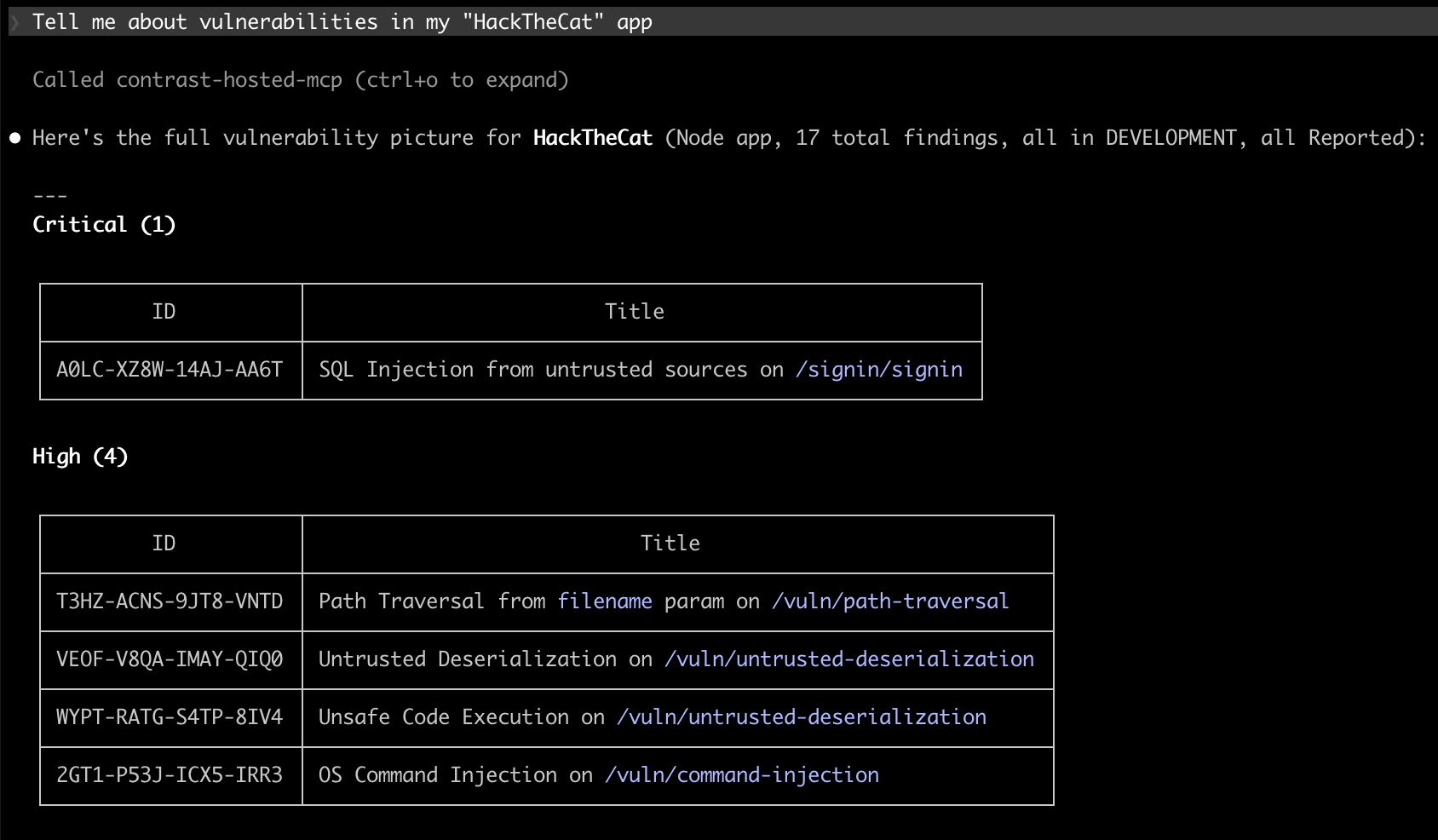
Using the Contrast-hosted MCP server, Claude Code can retrieve prioritized vulnerability details directly from Contrast without leaving the IDE.
For SaaS customers, the hosted server is now our recommended method for connecting an agent to Contrast. It is the simplest path, and it is where we will focus going forward.
The local server you may already run is not going away. It remains the right choice for Enterprise On-Premises (EOP) deployments, and it shares the same underlying tools as the hosted server. SaaS customers can continue to use it if they prefer, but for most teams, the hosted server is the better starting point.
Connecting takes about two minutes:
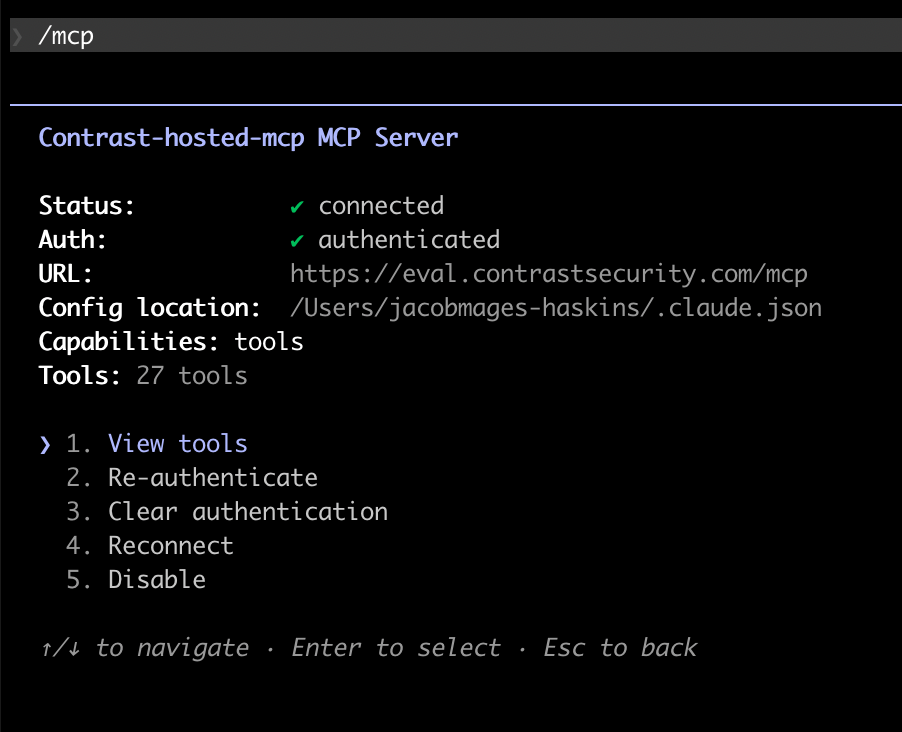
Once authentication is complete, Claude Code shows the hosted MCP server as connected and ready to use.
That is all there is to it.
The hosted server works today with Claude Code, the Codex CLI, the GitHub Copilot CLI, opencode and Claude Desktop. Support for more clients is in progress as their OAuth handling matures.
Ready to try it? The Contrast MCP repository includes the per-client-hosted setup guide to connect your first agent.

Chris Edwards has spent more than 30 years building software, from hands-on development to enterprise architecture. He is a Senior Development Manager at Contrast Security, where he leads the team creating Contrast's AI products, including the Contrast MCP Server and Contrast SmartFix. Before Contrast, he spent over a decade at a financial technology company, rising from Senior Developer to Chief Architect, where he scaled engineering teams and led the company's migration to the cloud. He joined Contrast in 2019 as a Principal Architect, led its architecture and cloud engineering teams, and now applies that foundation to building AI-driven security remediation for developers.


